
Features
Everything you need to build powerful, flexible, and professional online forms — all in one platform.
Drag & Drop Form Builder

Build forms quickly using an intuitive drag-and-drop interface. No coding required — just add, arrange, and configure fields with ease.
Signature Field

Capture signatures online by allowing users to sign your forms.
WYSIWYG Editor

A TinyMCE wysiwyg editor to add HTML code to your form.
Embed Maps and Videos

Embed Youtube Videos, Maps, and Widgets into your Forms.
Hide/Show Panels

The preview area will become wider and forms, being responsive, will adapt to them.
Popup Design

You can create and customize engaging popup forms. No developer required.
HTML / Plain Text Email

Choose HTML or Plain text format for email notifications.
Google Fonts Selector

Select from hundreds of beautiful typographies to style your form text however you want.
Web Gradient Editor
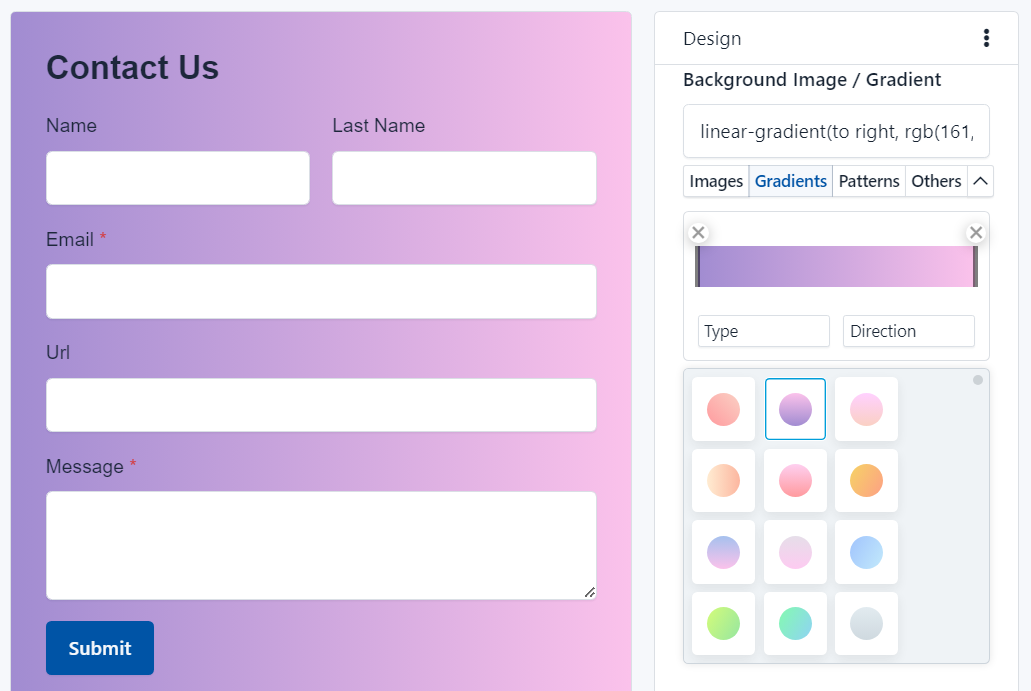
Create beautiful backgrounds for your forms with preset gradients ready to use.
Multi-Step Forms

Use Page Breaks to break your form in several pages and let your users fill out by steps.
Spam Protection

Alternative to reCaptcha, block unwanted spam with honeypot trap.
Custom Confirmation

You decide how to inform your users that the form has been successfully submitted.
Advanced Add-Ons
Extend functionality with add-ons such as calculations, limits, integrations, and workflow automation.
Duplicate Fields

Copy Form Elements with one click and improves your workflow.
Bootstrap Layouts

Vertical, horizontal and Inline. You can use the 3 Bootstrap CSS layouts.
Field Validation

Make sure you get the right data with ajax and sever validations.
Own Logo

It's your brand - Upload an image or enter a text to replace our logo.
HTML5 Fields

Create responsive forms with HTML5 fields in minutes!
Custom Checkbox and Radio Button

Display your Checkboxes and Radio Buttons with custom styles and in multiple columns.
Download HTML

Download the Source Code to create a fully-customized form.
Form Endpoints

Collect data from external sources (Forms, Scripts, Webhooks, etc.)
Image Compression

Compress the uploaded images by your forms and reduce storage quota.
Private Forms (Internal Forms)

Disable anonymous access and only you or your team will be able to submit entries.
Protected Files

Only users with the right permissions can access the uploaded files.
RTL Forms

Set the text direction in which values are entered in the form.
CORS / Authorized Urls

Restrict the domains with which the form works.
Spam Protection

Alternative to reCatcha, block unwanted spam with honeypot trap.
Browser Geolocation

Capture the User geographical location with the User's consent.
Submission Limit

Limit submissions by IP or Browser Fingerprint, and Period of Time.
Auto deactivation

Easily limit how many entries a form will accept or set a date to limit its access.
Save & Resume later

Allow users to save and resume form completion later.
Custom CSS & JavaScript
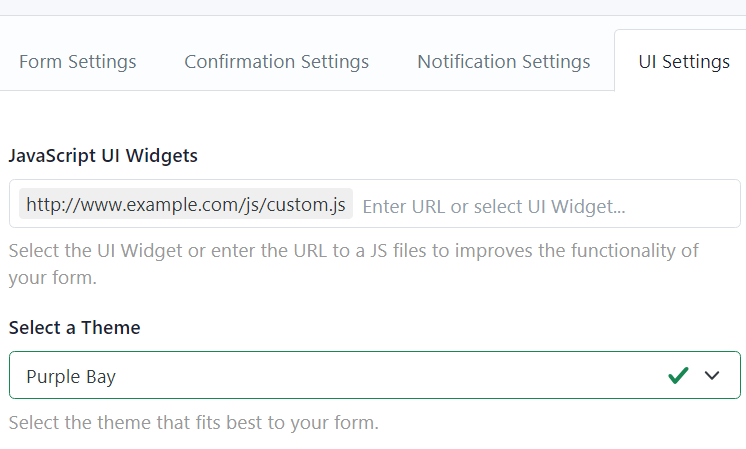
Customize your forms to detail. Use Themes, jQuery plugins and more!
Theme Designer

Customize backgrounds, colors, spacing and fonts without write CSS code.
Email Auto-Responder

Optionally send a confirmation email to users after submission.
Advanced CSS Editor
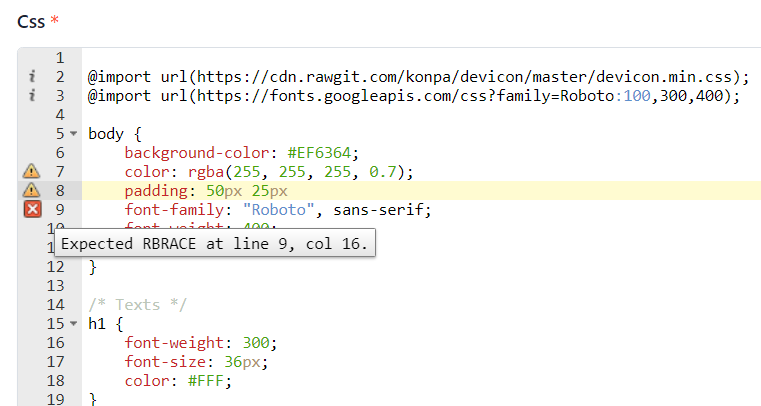
With syntax highlighting, validation and automatic indentation.
Form Live Preview

Select your form and see CSS changes in real time.
Templates

Choose a template and create a form in a single click.
Template Categories

Organize your templates by category.
Template Promotions

Promote your favorite templates to keep them at your fingertips.
Alert New Submissions

Quickly identify submissions you haven't seen yet.
Submission Manager

A quick and easy way of viewing, editing and deleting your form's submissions.
Mark Submission as Read / Unread

Mark multiple form submissions as read or unread with one click.
View Submission Details

View every detail of the information sent by your users.
View Sender Information

Know your users' information (Leaflet Map or Google Map included).
Edit each submission

Updates the information sent by your users.
Export submissions
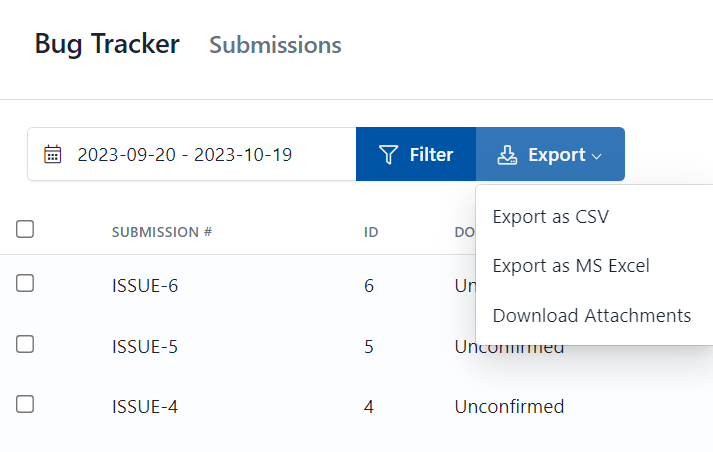
Export submissions in standard CSV format and work with the data on MS Excel.
Submission Comments

Add notes or comments to each entry. Keep a converstation with your team.
Instant Notification

Get notifications at the time a submission is performed.
Multiple recipients

Send the notifications to different e-mails.
Merge data in your emails

Use the auto-suggest tool to merge data in your email messages easily.
File Attachment

If your form has file upload, you can also attach them to your post.
Custom Sender Address

If your form has an email field, you can use your users information as the sender of your email.
Secure SMTP Support

To ensure you receive all your mail, we offer SMTP support.
Rest API

Access your account information, get your forms, and register / deregister webhooks.
Send Test Email

Test your Email Configuration in Real-Time and check everything is in order.
Intuitive Interface

Make conditional logic without programming.
Multiple Conditions & Actions

All, Any or None conditions must be fulfilled to perform an action.
Show / Hide Fields

Show / Hide Fields or Enable / Disable form fields.
Maths Operations

Use the 4 basic operations or combine them to create percentages or other more complex operations.
Advanced Maths Formulas
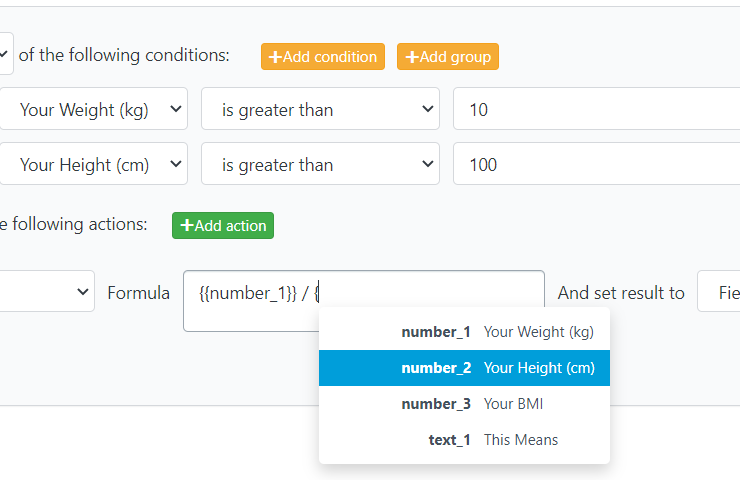
Perform advanced form calculations (including date calculations) and set the result in a form field or other elements.
Skip Steps

Go directly to the required step based on conditions you've created.
Pass Field Value to Another Field

Copy the content between fields with a couple of clicks.
4 Charts Types

Row, Bar, Donut and Pie charts are supported.
Interactive Charts
Interact with graphics in a very simple way: with a click
Move & Resize any chart

Change the size of your charts is very easy, just drag and drop.
Form Performance

Improve the form and increase conversion rate.
Submission Analytics

Know how many visits are made before your users send the form and more.
Google Analytics

Track each form in different Google Analytics accounts.
Session Timeout

Automatic Logout after minutes or hours of User Inactivity (A notice will appear 30 seconds prior)
Ready to get started?
Start a free trial to see how Hoofpick Biz can help you simplify your day and achieve efficiency in the workplace.
Try It Free